
Prop Firm API Integration Checklist: Accounts, Payments & Risk
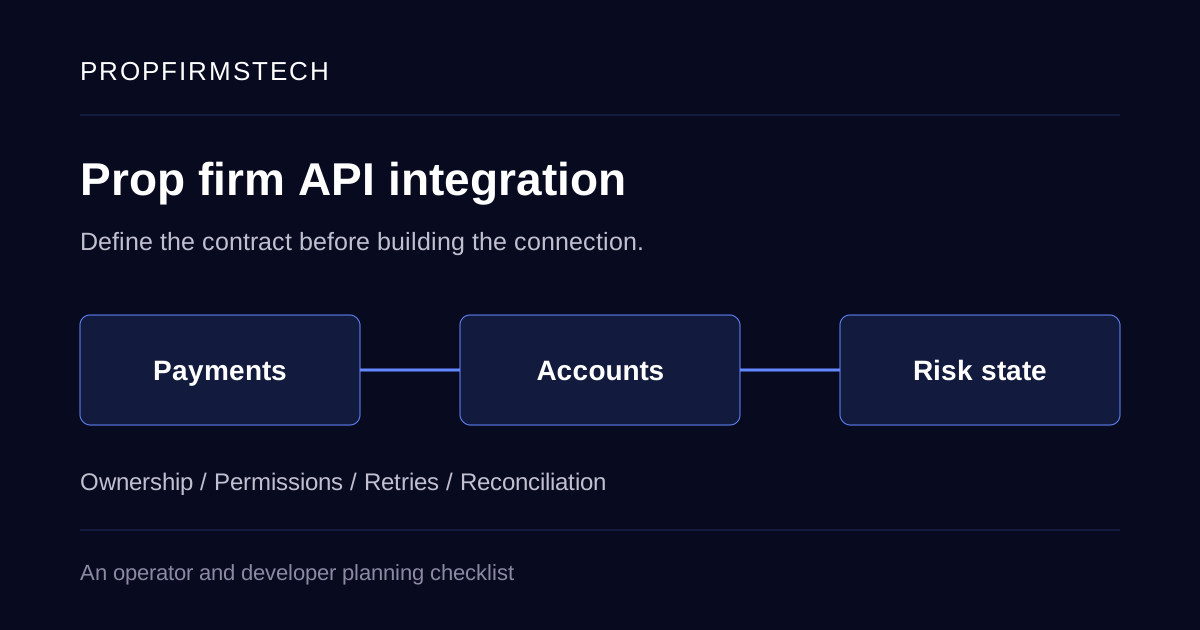
A request to “connect the prop firm API” usually hides several separate jobs: confirming a purchase, creating a trading account, updating risk status, displaying progress and handling a reward request. Each job needs an owner and a clear definition of success. Otherwise a successful HTTP response can look like a completed workflow while the trader still has no account.
Before commissioning an integration, write down which system owns each record, which action is allowed, and how the team will detect and recover a missed update. Use the checklist below as a handover document for your operator, developer and providers. It is a requirements guide, not a description of a public PropFirmsTech API; available access, endpoints and permissions must be confirmed for the agreed implementation.
Start with one complete workflow
Choose a concrete path, such as a confirmed test purchase becoming an accessible evaluation account. Name the systems involved: checkout, payment provider, order store, CRM, platform connection and trader dashboard. Draw the path through those systems, including the failure branches.
For each step, answer five questions:
- What event or request starts it?
- Which system decides whether it may happen?
- Which stable reference links it to the previous step?
- What proves completion, rather than acceptance for later processing?
- Who investigates it when completion is missing?
Repeat this for a phase change and a reward request before agreeing the full scope. A payout approval and a provider-confirmed payment need separate states. A platform account identifier is not the same record as a customer or an order.
Assign a source of truth for each record
Create an ownership table with the team. The example below is a planning template, not a fixed architecture or a claim about any provider’s implementation.
| Record | Decision to make | Evidence to request |
|---|---|---|
| Trader identity | Which internal ID joins the trader to orders and accounts? Who may change identity information? | Field mapping and the authorised update path |
| Purchase and refund | Which service owns order status, and how is it reconciled with provider transactions? | Test order, payment and refund references that remain linked |
| Trading account | Who creates the account, and who confirms the platform has created it? | A request reference, platform account ID and recoverable failure state |
| Programme and risk state | Where are rule versions and account-specific limits held? | A versioned definition and calculation examples |
| Reward request | Which system owns eligibility, review, approval and payment status? | Separate states, authorised actors and provider references |
| Support and audit trail | Where can staff reconstruct an action across systems? | Timestamped records joined by stable references |
Distinguish a value displayed in a dashboard from the system authorised to change it. Decide how a correction is applied and recorded rather than allowing two connected services to overwrite one another.
Define the data contract before mapping fields
A field named balance is not enough. Record the currency, numeric precision, timestamp, source and meaning. Specify whether a figure includes open profit or loss, commission or other adjustments, and whether a missing value means unknown or zero.
Trading-platform identifiers also need context. cTrader’s model reference documents identifiers whose meaning depends on the server environment and precision metadata for monetary fields. Keep the platform and environment alongside external IDs, and agree the translation into your internal records.
Your contract should cover:
- Required and optional fields, validation rules and explicit handling of unknown values.
- Test and production environments, including separate credentials and account references.
- Currency and unit conversions, rounding rules and timestamp/timezone conventions.
- Pagination, history coverage, rate limits and the permitted polling or streaming method.
- Schema or API version changes, notice periods and the owner of adapter updates.
Request a real, redacted sample from each provider. A sales feature list does not establish which fields your account can read or write. If the project moves existing records, use the separate platform migration checklist for inventory and cutover decisions.
Treat delivery, processing and business completion separately
A webhook is a notification. Receiving it does not by itself prove that an order, account or transfer has completed. Define the processing states, durable references and recovery path for each event.
Stripe’s webhook documentation describes duplicate delivery, non-guaranteed event ordering and signature verification. These are concrete behaviours to account for when that provider is in scope; check the equivalent contract for every other provider rather than assuming it behaves the same way.
Ask the developer to show what happens when:
- The same provider event arrives twice.
- A later state arrives before an earlier notification.
- An account-creation request times out after the destination has already acted.
- The destination is unavailable and a retry is scheduled.
- A message passes validation but the business action is not authorised.
- A failure remains unresolved after the normal retry window.
A duplicate notification should not create another account or another transfer. Record both the delivery reference and the business operation being processed. Some providers can send separate events about the same object, so event-ID deduplication alone may not settle the business action.
For outbound requests, confirm whether the destination supports an idempotency key and its exact lifetime and reuse rules. Stripe documents its own idempotent-request behaviour; another API may have different semantics. If an outcome is unknown after a timeout, query or reconcile the original operation before deciding to create a new one.
Agree permissions at the account and action level
Document who may view an account, change programme settings, approve a request, execute a payment or export records. Keep administrative credentials on the server, and separate permissions for test and production use.
A signed-in user should not gain another trader’s records simply by changing an account identifier. OWASP’s object-authorisation guidance calls for permission checks on the requested object and action. Include another trader’s account and another firm’s account in the authorised test fixtures, where the system supports multiple firms.
Agree which sensitive fields may appear in logs and who can access them. Use internal references for troubleshooting where possible. Do not put access tokens, identity documents or payment credentials into a shared integration spreadsheet.
Build reconciliation into the operating plan
Retries address delivery failures; reconciliation checks whether systems eventually agree. Define a periodic comparison between the source records and the destination’s current state, with an owner for exceptions.
Useful exception queues include:
- Confirmed orders with no linked platform account.
- Provisioning requests with an unknown outcome.
- Accounts whose phase or status differs between the CRM and platform.
- Reward requests marked paid internally without a matching provider-confirmed result.
- Refunds or adjustments missing from the appropriate business record.
For each exception, define the source evidence, permitted correction and approval requirement. Replaying an entire event history without checking current state can repeat actions that already succeeded. Retain a record of the original result and any authorised correction.
Use an acceptance matrix for the first release
Populate this template with the exact programme, provider and expected result. Use sandbox or other approved test tooling; do not use genuine customer money or identity documents as fixtures.
| Test case | Expected business result | Proof to retain |
|---|---|---|
| Confirmed test purchase | One order links to one intended evaluation account | Order ID, provider reference and platform account ID |
| Duplicate event or repeated request | The original operation is recognised; no duplicate account or transfer | Delivery log and resulting business records |
| Timeout after destination success | The original outcome is recovered before another action is attempted | Original request reference and reconciliation result |
| Out-of-order update | Current state remains valid according to the agreed transition rules | Event sequence and final state |
| Unauthorised account/action | No data or action is available beyond the caller’s permissions | Denied request and unchanged protected record |
| Delayed risk feed or provider outage | The documented degraded state and escalation occur | Alert, operator action and recovery record |
| Refund or approved adjustment | Related records reflect the agreed adjustment once | Linked original and adjustment references |
Do not accept a test solely because an endpoint returns 200. Follow the result through the software platform, staff view and trader view. Record failed cases, outstanding dependencies and who may approve a release with an exception.
Take these questions to the implementation discussion
Request the documentation version, access requirements, environment details, sample payloads, rate limits, available exports and support escalation route. Ask which parts are included, which are custom work, and which require a separate provider agreement. Agree ownership of the adapter, its monitoring and future API changes.
Scoping an integration? Review back-end development for prop firms and book a PropFirmsTech demo with your proposed workflow and ownership table. The useful next step is an agreed integration scope and acceptance plan for your firm.